
What Is WebGPU and Why It Makes Browser-Based AI Faster
A few years ago, running a production-quality AI model entirely in a web browser would have been dismissed as impractical. Today it's a reality — and WebGPU is the technology that made it possible.
If you've noticed Whisper Web asks whether your browser supports WebGPU, and wondered what that actually means, this article explains it clearly.
The Problem WebGPU Solves
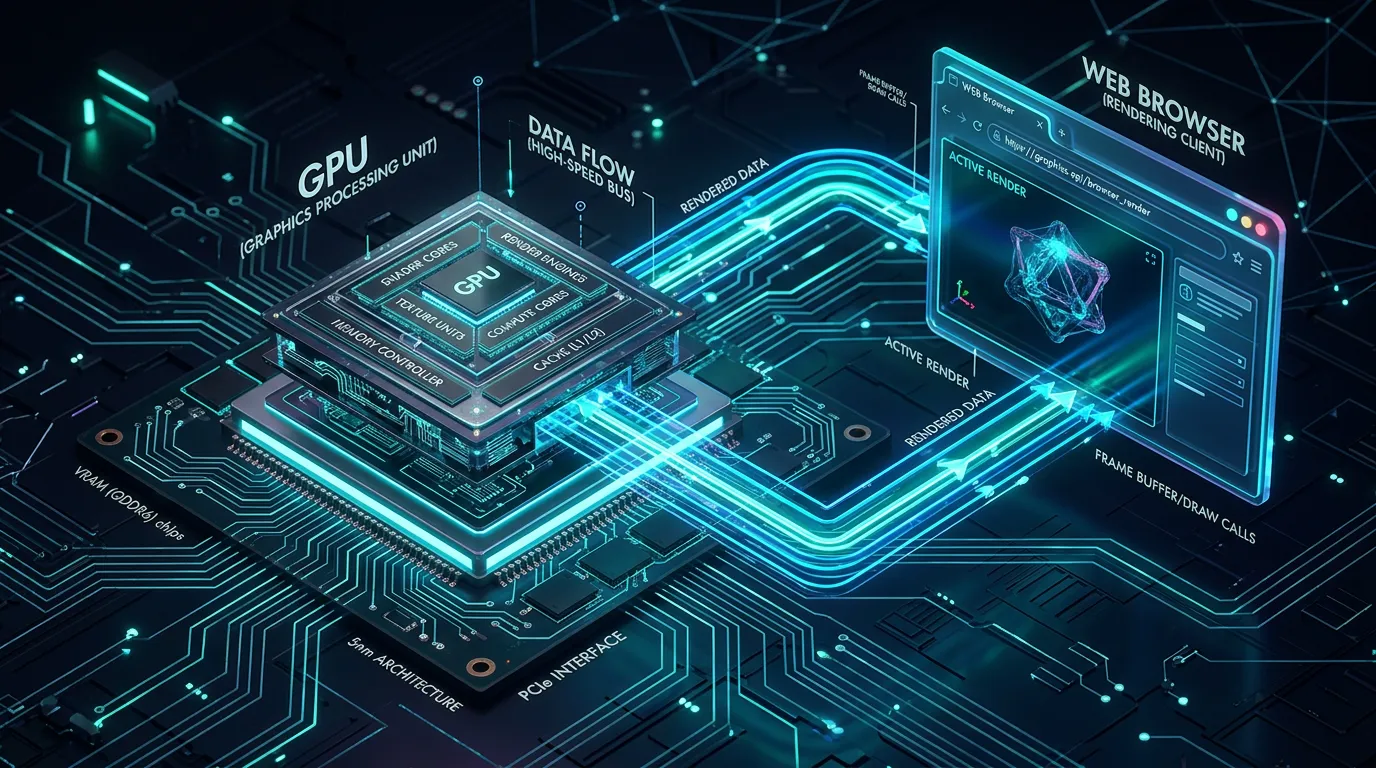
Modern machine learning models — including speech recognition models like Whisper — perform billions of mathematical operations during inference. These operations (matrix multiplications, convolutions, attention mechanisms) map naturally onto GPU hardware, which is designed to execute thousands of parallel operations simultaneously.
For years, web browsers couldn't directly access the GPU for general-purpose computation. You could use the GPU for rendering graphics via WebGL, but WebGL was designed for drawing pixels, not running neural networks. Developers who wanted GPU-accelerated AI in the browser had to work around this with hacks and approximations.
WebGPU changes this by giving JavaScript direct, efficient access to the GPU's compute capabilities — the same hardware that makes desktop AI applications fast.
WebGPU vs WebGL: What's Different
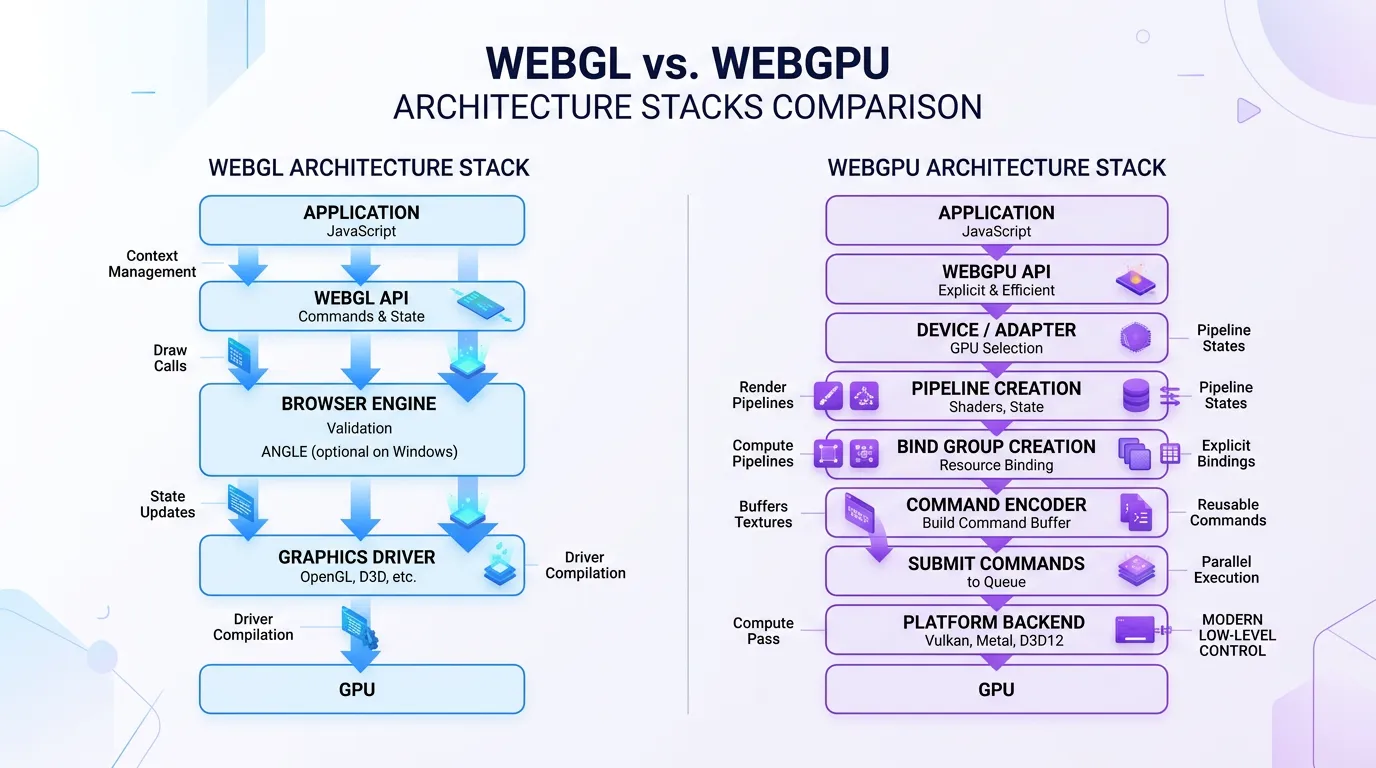
WebGL was designed in 2011 for 3D graphics. It works by translating OpenGL commands through a browser security layer. For AI inference, this means:
- Inefficient memory management: WebGL buffers aren't designed for the access patterns ML models need
- No compute shaders: WebGL 1.0 has no compute shader support; WebGL 2.0 support is limited
- CPU bottleneck: Translating commands through the compatibility layer adds latency
WebGPU is built from scratch on modern graphics APIs (Vulkan on Linux, Metal on macOS, Direct3D 12 on Windows). The key improvements for AI workloads:
| Feature | WebGL | WebGPU |
|---|---|---|
| Compute shaders | Limited | Full support |
| Memory control | Coarse | Fine-grained |
| Multi-threading | No | Yes (via Web Workers) |
| GPU-to-GPU transfers | Slow | Fast |
| API overhead | High | Low |
For a model like Whisper, which consists of a transformer encoder and decoder with attention layers, WebGPU's compute shader support is the critical difference.
How Whisper Web Uses WebGPU
Whisper Web is built on Transformers.js, Hugging Face's library for running transformer models in JavaScript. When WebGPU is available, Transformers.js uses it to execute the model's matrix operations on the GPU.
Here's what happens when you transcribe audio:
- Audio preprocessing: Your audio is converted to a mel spectrogram (a frequency representation) — this step runs on CPU
- Encoder pass: The spectrogram is processed by Whisper's encoder layers — this runs on GPU via WebGPU
- Decoder pass: The encoder output is decoded into text tokens using autoregressive generation — this also runs on GPU
- Token decoding: The numeric tokens are converted to text — CPU step
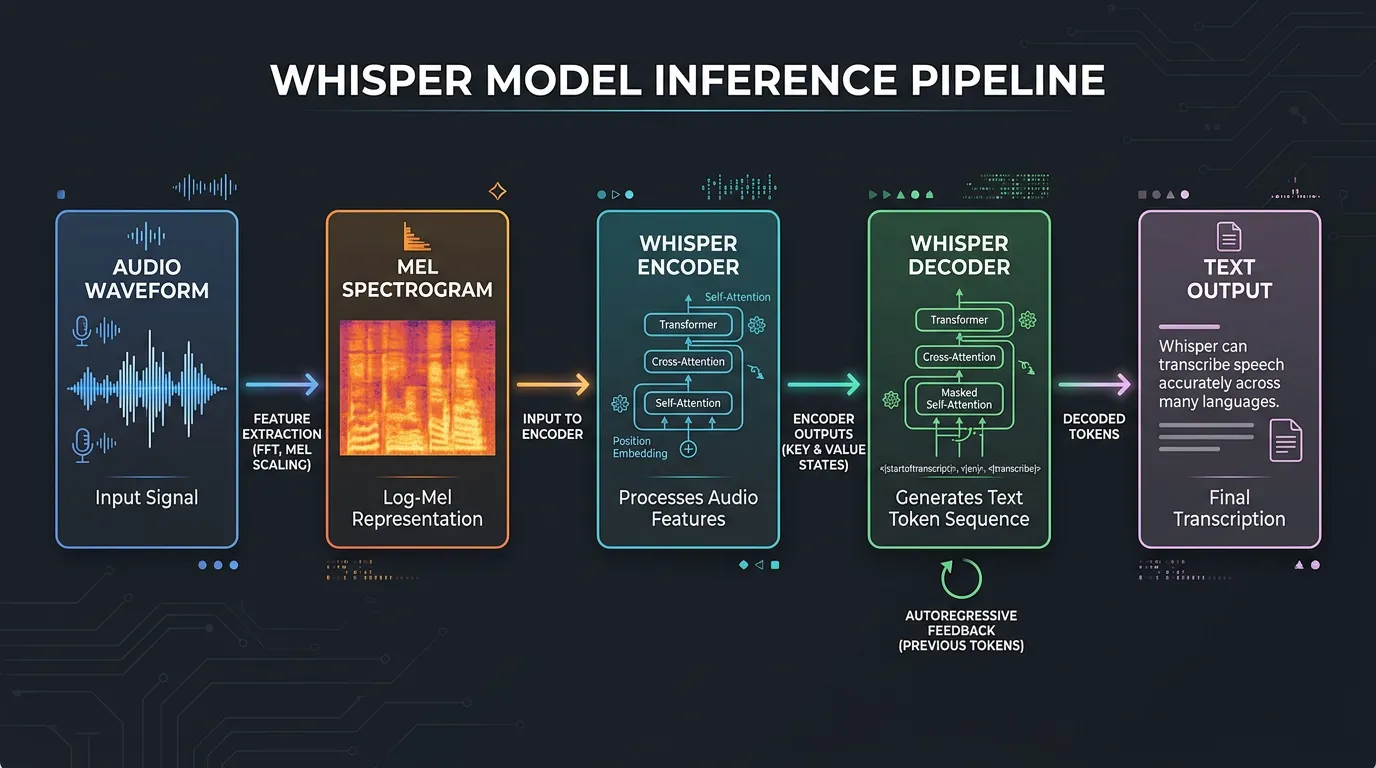
The encoder and decoder passes are the computationally expensive parts — and WebGPU accelerates exactly these steps.
Real-World Performance Impact
We measured transcription speed on a 10-minute English podcast episode using the Whisper Base model:
| Processing Mode | Time | Relative Speed |
|---|---|---|
| CPU (WebAssembly) | ~8 minutes | 1x baseline |
| WebGPU (integrated GPU) | ~4 minutes | ~2x faster |
| WebGPU (dedicated GPU) | ~90 seconds | ~5x faster |
The gains are most pronounced with larger models. With Whisper Medium:
- CPU: ~25 minutes for a 10-minute file
- WebGPU with dedicated GPU: ~4 minutes
Browser Support in 2025
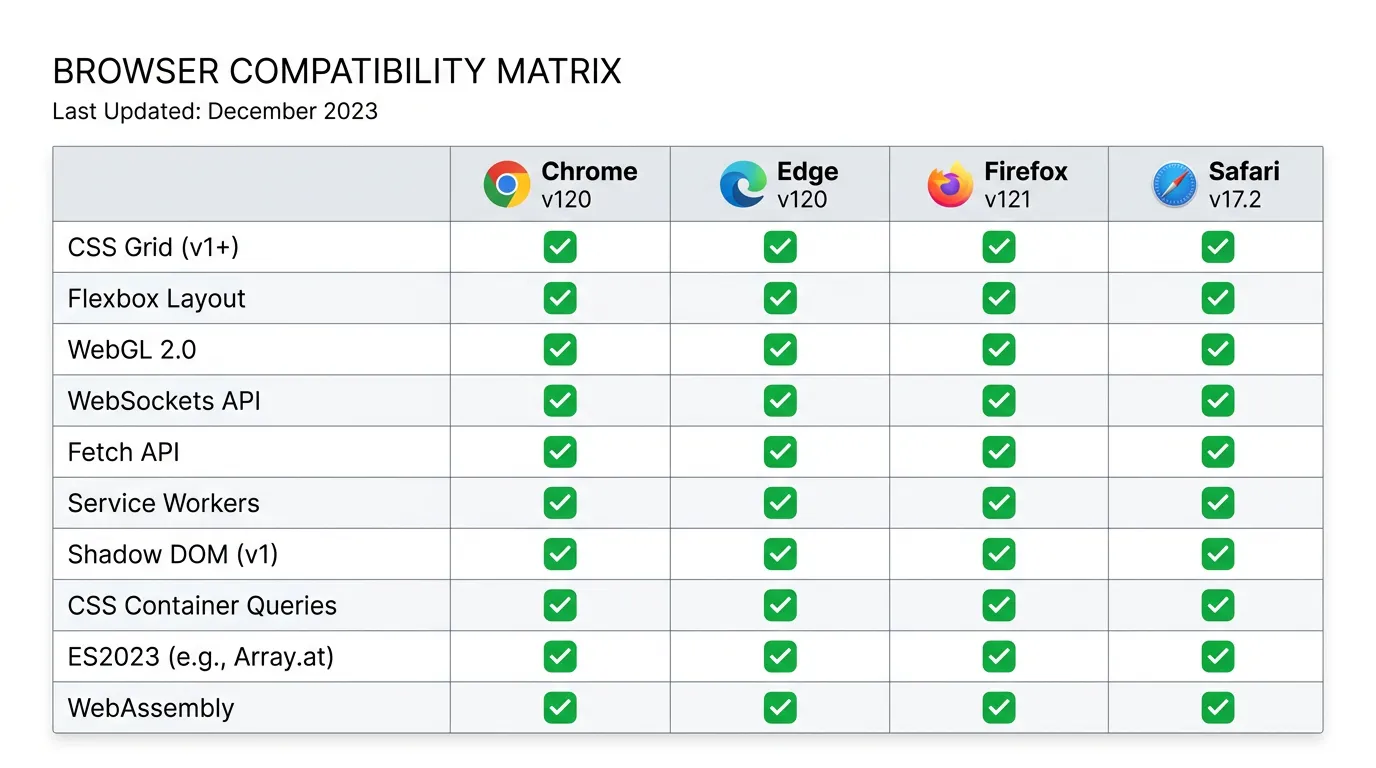
WebGPU is now supported in all major desktop browsers:
| Browser | WebGPU Status | Notes |
|---|---|---|
| Chrome 113+ | ✅ Stable | First browser with stable support |
| Edge 113+ | ✅ Stable | Based on Chromium |
| Firefox 141+ | ✅ Stable | Shipped late 2025 |
| Safari 18+ | ✅ Stable | Available on macOS and iOS |
| Chrome on Android | ✅ Supported | Requires Android 12+ |
Mobile performance depends heavily on the device. Modern flagship phones (iPhone 15+, high-end Android) have capable mobile GPUs that benefit from WebGPU. Mid-range devices may show smaller improvements over CPU processing.
WebAssembly: The CPU Fallback
When WebGPU isn't available, Whisper Web falls back to WebAssembly (WASM). WASM is a binary instruction format that runs near-native speed in the browser. It doesn't use the GPU, but it's significantly faster than plain JavaScript for compute-heavy work.
Whisper Web detects your browser's capabilities on startup and automatically chooses the best available backend:
- WebGPU (if available and supported)
- WebAssembly with SIMD instructions
- Standard WebAssembly
This means Whisper Web works on virtually any modern device, just with varying performance.
What This Means for the Future
WebGPU enables a new category of browser applications: ones that do serious computation locally without sending data to a server. Beyond speech recognition, the same technology powers:
- Real-time translation running in the browser
- On-device image generation (smaller diffusion models)
- Local LLM inference for private AI assistants
- Video processing and computer vision tasks
The browser is becoming a serious compute platform. What used to require a desktop application or cloud API can now run privately in a browser tab.
How to Check If Your Browser Supports WebGPU
You can verify WebGPU support right now:
- Open your browser's developer console (F12)
- Type:
navigator.gpu - If it returns an object (not
undefined), WebGPU is supported
Alternatively, Whisper Web will tell you automatically when you load the page — it detects your hardware capabilities and selects the appropriate processing engine before you start transcribing.